How to Apply:

This year’s Night Stalker Foundation Scholarship opens Monday, December 1, 2025, and closes Friday, January 16, 2026.

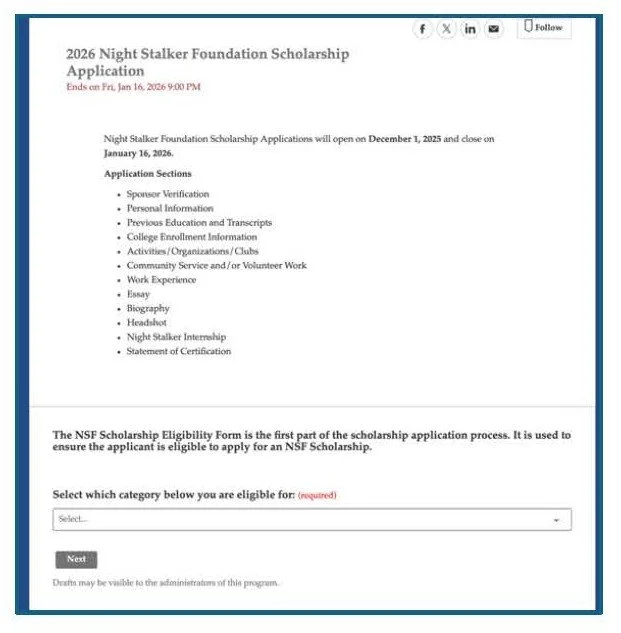
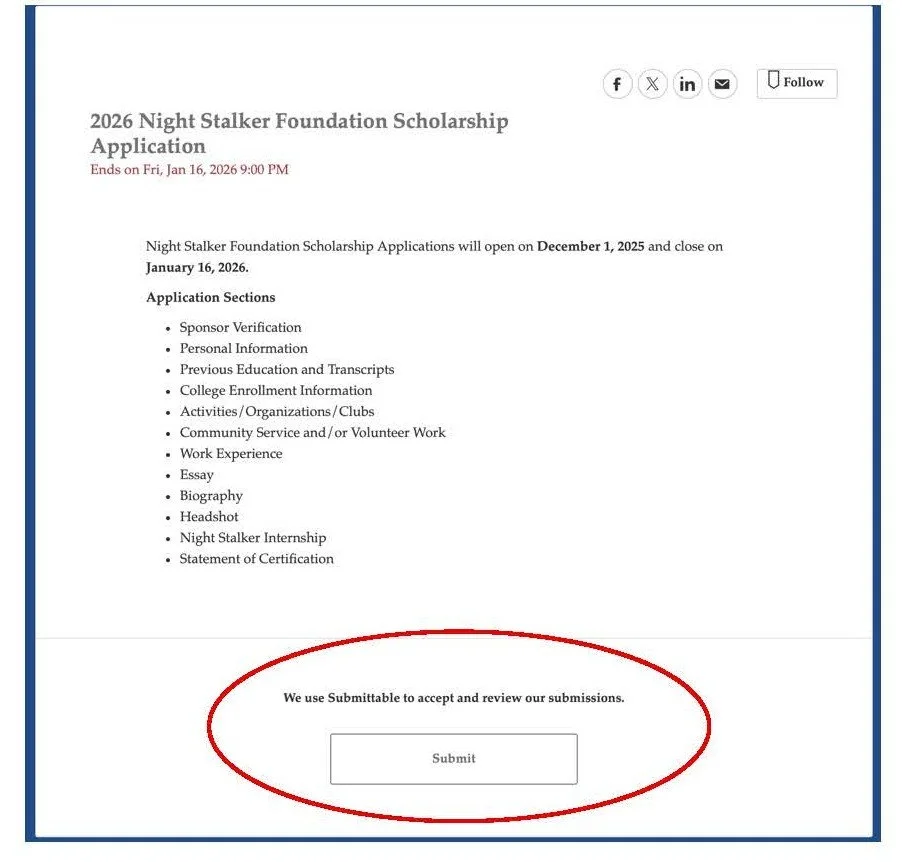
Applications for this year’s scholarship will be on a virtual platform called Submittable. Please read carefully each of the following steps before beginning your application:

The Application Process: There are 12 steps to the application:

  1. Sponsor Verification

  2. Personal Information

  3. Previous Education and Transcripts

  4. College Enrollment Information

  5. Activities/Organizations/Clubs

  6. Community Service and/or Volunteer Work

  7. Work Experience

  8. Essay

  9. Biography

  10. Headshot

  11. Night Stalker Internship

  12. Statement of Certification

How to Apply for the 2026 Night Stalker Scholarship

To Apply

1. Click on the button below that says, Apply Now.

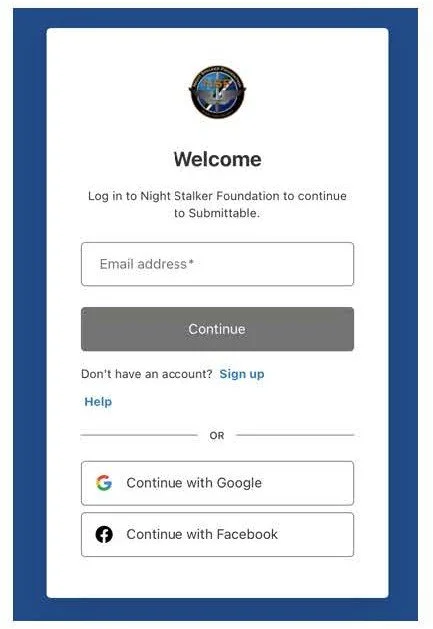
2. You will be directed to Submittable. At the bottom where it says, “We use Submittable to accept and review our submissions,” click the Submit button.

Logging Into Submittable

1. Each applicant will be prompted to log in with their username and password. If you do not have an account, please continue reading. If you already have an account, please proceed to the next section.

2. Select Sign Up to create an account

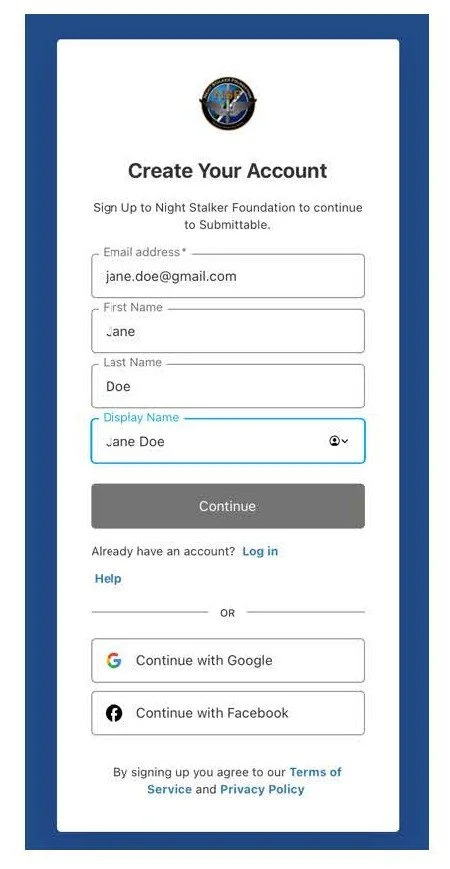
3. The applicant must create their own account. Please enter your Email Address.

4. Please enter your First Name and Last Name. This must be your full legal name that you will use on your NSF Scholarship Application and your college application.

5. For the Display Name, type the same first and last name.

6. Please note: If your name on your submittable account does not match the name on your application, your application will be declined.

7. Select Continue.

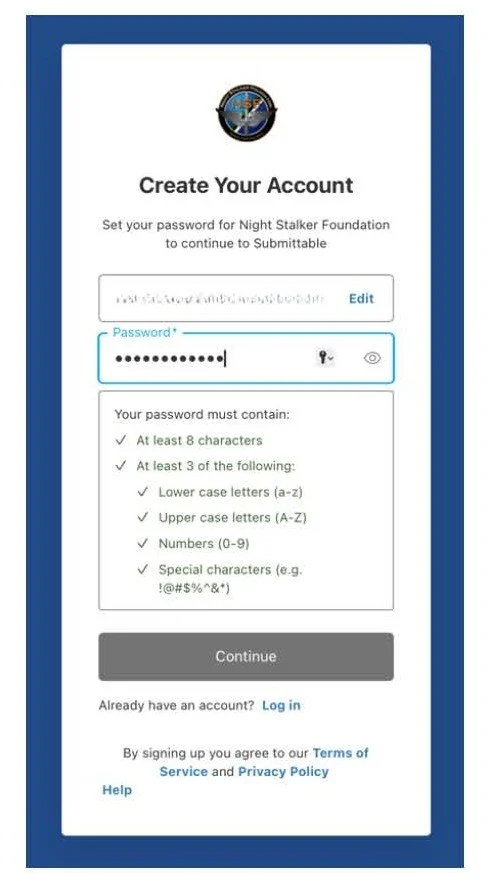
8. Next, create a Password.

1. Select Continue.

2. Next, Submittable will need to verify your identity. Click “Send Verification Code.”

3. Log in to your email. Find the email from Submittable and follow the instructions.

4. Once you have verified your email you are ready to begin your application.


I Already Have a Submittable Account

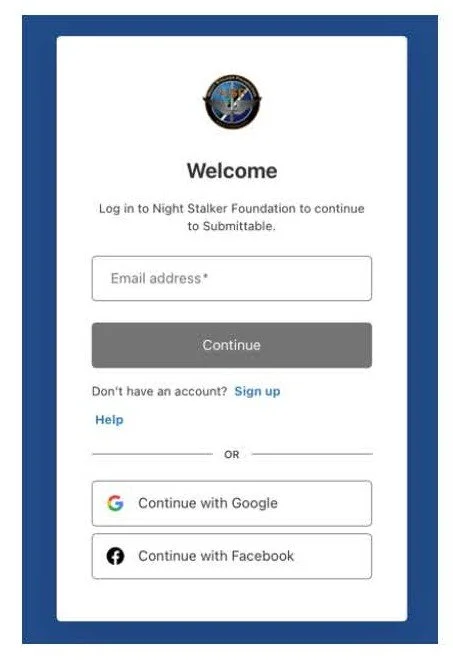
1. If you already have a Submittable Account. Please log in.

2. You will be redirected to the scholarship application.

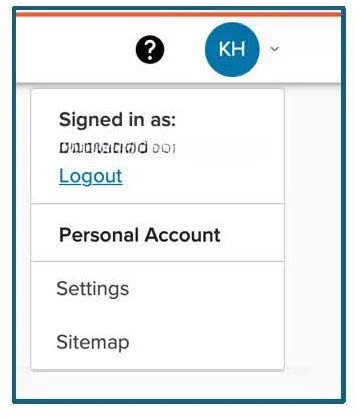
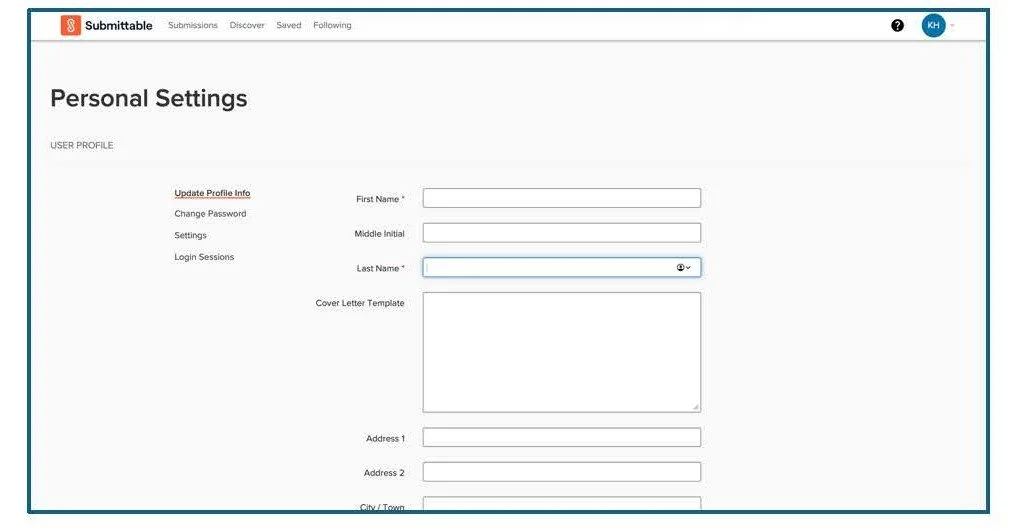
3. Please Note: Each returning applicant must confirm their account profile name matches the first and last name used on the NSF Scholarship Application and college application. At some point during the application process, you will need to check your profile name by completing the following steps:

i. In the top right of the screen the circle icon that has your initials. Select the drop-down arrow.

ii. Select “Settings.”

iii. Select “Personal Settings.

iv. Review and/or update the first and last and save.

v. Now you are ready to return to your application.

Working in Submittable

1. Applicants can log on and off their Submittable account as they are working through the application process by SAVING their application. Reminder: It is important applicants periodically save as they work. Once the application has been submitted, applicants will no longer be able to edit their application.

2. After the application is submitted, applicants are encouraged to log in to their Submittable account periodically to check for any messages. Questions, updates, and awards will be communicated through the platform.

Application Evaluation and Grading

All Personal Identifying Information (PII) of applicants and/or sponsors will be removed before scoring. A panel of reviewers will use a calibrated rubric to score applications.

Questions

If you have any questions during the application process, Please send email to NSF.Scholarship160@gmail.com
Download Instructions (PDF)
View the Step-by-Step Scholarship Video